|
|
shadow
PCSS 
|
|
|
post
complements
|
|
|
scene
deferred
|
|
|

|
|
|
GeForce 6
|
GeForce 6
|
GeForce 6
|
|
material shadow DirectX10
textured
|
image processing color
conversion illustration DirectX10 textured
|
material image processing
rendering DirectX10 textured
|
|
|
|
|
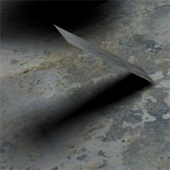
Perceptually-correct soft shadows. For
more information, please see the "Percentage-Closer Soft Shadows" talk from GDC 2005. The
talk is available at heres (1
technique/s)
|
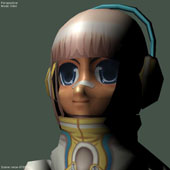
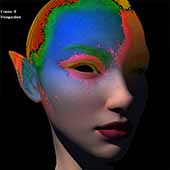
Color space conversion -- takes the
existing scene, and polarizes the colors along the color wheel -- colors that are close to
the "Guide Color" become more like the guide, while colors closer to its complementary
color in that direction. Parameters allow control of how tightly colors "bunch up" and
permits the user to turn the effect so that desaturated colors are less affected. In the
sample image, an orange tone was chosen -- skin tones are reddish and those have migrated
towards the orange guide, while colors near blue (complement of orange) have become
bluer. (1 technique/s)
|
A simple defered-rendering example --
an initial pass renders color, surface normals, and view vectors into multiple render
targets (textures). A second pass combines the data in these textures with lighting info
to create a final shaded image.(1 technique/s)
|
|
|
|
|
HLSL
|
CgFX
|
COLLADA
|
HLSL
|
CgFX
|
COLLADA
|
HLSL
|
CgFX
|
COLLADA
|
|
Whitepaper
|
Video
|
Download
|
Whitepaper
|
Video
|
Download
|
Whitepaper
|
Video
|
Download
|
|
|
|
post
objsAsDisplacements
|
|
|
ddGodRays
|
|
|
post
bloom
|
|
|
|
|
|
GeForce 6
|
GeForce 6
|
GeForce 6
|
|
image processing DirectX10
textured
|
material image processing
derivatives texture DirectX10 textured
|
image processing glow
textured
|
|
|
|
|
This postprocess uses the values
rendered by the previous part of the scene, and re-interprets their values as a 2D
displacement map, which it applies to another image. The standard way to use this would be
to have all objects export their normals. (1 technique/s)
|
A "godrays" effect done as a single
pass. Make sure the input texture has alpha! It works best on a simple planar card, but go
ahead and experiment with all sorts of geometry. The size of the glow is kept constant in
screen space by adjustng the rays according to the partial derivates of UV in screenspace
x and y -- that is, using ddx(UV) and ddy(UV) (1 technique/s)
|
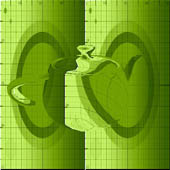
Glow/bloom post processing effect --
for "bloom," only the brightest areas are affected.(1 technique/s)
|
|
|
|
|
HLSL
|
CgFX
|
COLLADA
|
HLSL
|
CgFX
|
COLLADA
|
HLSL
|
CgFX
|
COLLADA
|
|
Whitepaper
|
Video
|
Download
|
Whitepaper
|
Video
|
Download
|
Whitepaper
|
Video
|
Download
|
|
|
|
post
godrays
|
|
|
post
glowtrail
|
|
|
post RGB
from HSV
|
|
|
|
|
|
GeForce 6
|
GeForce 6
|
GeForce 6
|
|
image processing DirectX10
textured
|
image processing glow
peristence textured
|
image processing color
conversion DirectX10 textured
|
|
|
|
|
Based on a radal blur effect, then with
the origin image re-composited. (1 technique/s)
|
Persistence of blurry vision -- this
effect uses "ping pong" render targets so that its state persists from frame to frame.
Uses FP16 buffers (1 technique/s)
|
Color space conversion - now with
optional color cycling (2 technique/s)
|
|
|
|
|
HLSL
|
CgFX
|
COLLADA
|
HLSL
|
CgFX
|
COLLADA
|
HLSL
|
CgFX
|
COLLADA
|
|
Whitepaper
|
Video
|
Download
|
Whitepaper
|
Video
|
Download
|
Whitepaper
|
Video
|
Download
|
|
|
|
relief
mapping
|
|
|
Toksvig
NormalMaps
|
|
|
post
glowBalloon
|
|
|
|
|
|
GeForce 6
|
GeForce 6
|
GeForce 6
|
|
material bumpmap DirectX10
textured
|
DirectX10 textured
|
material
|
|
|
|
|
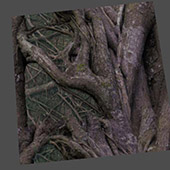
This material shows and compares
results from four popular and advanced schemes for emulating displaement mapping. They
are: Relief Mapping, Parallax Mapping, Normal Mapping, and Relief Mapping with Shadows.
Original File by Fabio Policarpo. (4 technique/s)
|
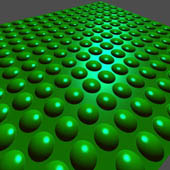
"Toksvig-factor" anti-aliased bump
mapping -- eliminate "buzzy" hilights along bump edges. Note use of 16-bit textures
(g16r16) for precision with performance A description of the technique can be found
at heres (2
technique/s)
|
Create a transparent "envelope" around
any existing model. While implemented as a "post process" effect, this effect is just a
second pass on the geometry -- no render-to-texture is needed. Great cheap effect for
glows (or deep-sea egg pods) (1 technique/s)
|
|
|
|
|
HLSL
|
CgFX
|
COLLADA
|
HLSL
|
CgFX
|
COLLADA
|
HLSL
|
CgFX
|
COLLADA
|
|
Whitepaper
|
Video
|
Download
|
Whitepaper
|
Video
|
Download
|
Whitepaper
|
Video
|
Download
|
|
|
|
balloon
|
|
|
post
deepMask
|
|
|
scene
deferred no mrt
|
|
|

|
|
|
GeForce 6
|
GeForce 6
|
GeForce 6
|
|
material classic
DirectX10
|
image processing
textured
|
material image processing
rendering textured
|
|
|
|
|
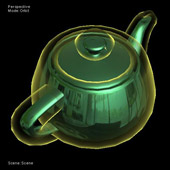
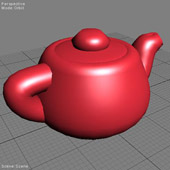
Amazing inflating teapots! A plastic
"balloon" surface (lit from either a point or directional source). Twiddle the "inflate"
parameter to change the shape.(1 technique/s)
|
Application of "Image Enhancement by
Unsharp Masking the Depth Buffer" from Siggraph 2006. This version applies the depth
enhancement to an existing scene. The scene can be rendered very simply -- in fact it
looks great on "flat" render effects like "FlatTexture" but can work with any sort of
rendering. The user should choose Near and Far depth values to cover the ranges of depth
found in the scene. See the original paper at heres (1
technique/s)
|
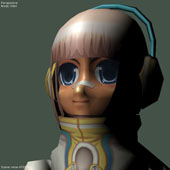
A simple defered-rendering example.
Some channels are currently un-used, while the "ViewSampler" could be considered redundant
(you COULD calculate it on the fly, if texture-bandwidth limited)(1
technique/s)
|
|
|
|
|
HLSL
|
CgFX
|
COLLADA
|
HLSL
|
CgFX
|
COLLADA
|
HLSL
|
CgFX
|
COLLADA
|
|
Whitepaper
|
Video
|
Download
|
Whitepaper
|
Video
|
Download
|
Whitepaper
|
Video
|
Download
|
|
|
|
pulse23
|
|
|
scene
uvds skin
|
|
|
shadowSpot
|
|
|
|
|
|
GeForce 6
|
GeForce 6
|
GeForce 6
|
|
pattern material animation
DirectX10
|
textured
|
DirectX10 textured
|
|
|
|
|
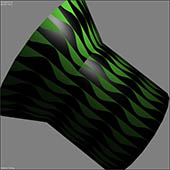
Blast from the past (Cg 1 Maya sample
shader). Analytic anti-aliasing against an arbitrary function -- in this case pulsing 3D
sine waves. (1 technique/s)
|
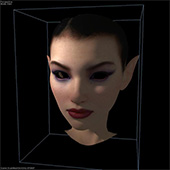
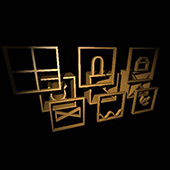
A simplified UV-space-diffusion effect
for use on character skin. See the chapter in GPU Gems 3 for the full nine yards! This
shader further-extends the techniques from "scene_uvd_skin" and "scene_uv_diffusion" by
adding shadows. The light and shadow here are unwrapped into a UV-space texture, diffused
in surface coordinates and re-applied to the geometry in 3D, mixed with yet more 3D
lighting to give both the crisp "immediacy" of the skin surface along with the soft,
subsurface-diffused tones of skin's natural translucence. This effect is easy to apply to
existing models without requiring any new art assets.(1 technique/s)
|
Simple shadow map example using HW
shadow textures and render ports. Plastic-style shading with quadratic light falloff. Both
shadowed full-scene shadow and unshadowed materials provided. (2
technique/s)
|
|
|
|
|
HLSL
|
CgFX
|
COLLADA
|
HLSL
|
CgFX
|
COLLADA
|
HLSL
|
CgFX
|
COLLADA
|
|
Whitepaper
|
Video
|
Download
|
Whitepaper
|
Video
|
Download
|
Whitepaper
|
Video
|
Download
|
|
|
|
paint
brush
|
|
|
ribbonDistort
|
|
|
scene uv
diffusion
|
|
|
|
|
|
GeForce 6
|
GeForce 6
|
GeForce 6
|
|
image processing paint
textured
|
material animation image
processing DirectX10 textured
|
material image processing
textured
|
|
|
|
|
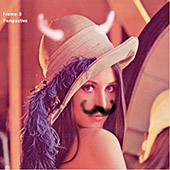
An .FX Paint Program. Scene geometry is
ignored. Draw with the left mouse button. To clear screen, just make the brush big and
paint everything. Resizing the window will mess up your drawing. Brush strokes will change
in size and opacity over time, set "FadeTime" to a high value for more even (though less
expressive) strokes. (1 technique/s)
|
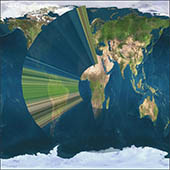
This shader assumes the input model is
a multi-segment unit square in XY with center at the origin. It distorts this unit square
into a disk-like "ring" for use in sword battles etc. (1 technique/s)
|
UV-space lighting diffusion, as
pioneered by George Borshukov in the "Matrix" films. We also use a specal "TexBlender"
value, as used in the NVIDIA "Human Head" demo, to control the mix of surface detail in
tandem with textured subsurface scattering. Be sure that your object UV coordinates fit
within the range 0-1 and have no repeats or overlaps. (1 technique/s)
|
|
|
|
|
HLSL
|
CgFX
|
COLLADA
|
HLSL
|
CgFX
|
COLLADA
|
HLSL
|
CgFX
|
COLLADA
|
|
Whitepaper
|
Video
|
Download
|
Whitepaper
|
Video
|
Download
|
Whitepaper
|
Video
|
Download
|
|
|
|
reflections
|
|
|
post
color clipping
|
|
|
post
kuwahara
|
|
|

|
|
|
GeForce 6
|
GeForce 6
|
GeForce 6
|
|
material environment
classic DirectX10 textured
|
image processing
textured
|
image processing color
conversion DirectX10 textured
|
|
|
|
|
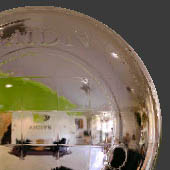
Phong-shaded, metal- and plastic-style
surfaces with a mirror term. Plastic or dielectic surfaces have varying reflectivity
according to the angle at which a surface is viewed -- this variation is often called
"fresnel" reflectance. (2 technique/s)
|
Clip low and high colors so that the
resulting image is within a narrower range, e.g. for TV signals. Two Techniques are
provided -- one clips the colors that go outside the specified range between Min and Max,
while the other stretches or compresses the total color space to conform to the indicated
range. (2 technique/s)
|
Kuwahara edge enhancement is a staple
of image processing. (1 technique/s)
|
|
|
|
|
HLSL
|
CgFX
|
COLLADA
|
HLSL
|
CgFX
|
COLLADA
|
HLSL
|
CgFX
|
COLLADA
|
|
Whitepaper
|
Video
|
Download
|
Whitepaper
|
Video
|
Download
|
Whitepaper
|
Video
|
Download
|
|
|
|
plastic
|
|
|
metal
|
|
|
lambert
|
|
|
|
|
|
GeForce 6
|
GeForce 6
|
GeForce 6
|
|
material classic DirectX10
textured
|
material classic DirectX10
textured
|
material classic dirpos
DirectX10 textured
|
|
|
|
|
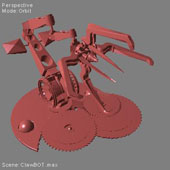
A phong-shaded plastic-style surface
lit from either a point or directional source. Textured, untextured, quadratic falloff or
not (4 technique/s)
|
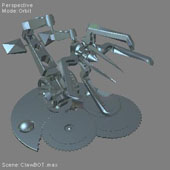
A phong-shaded metallic surface lit
from either a point or directional source. Textured, untextured, quadratic falloff or
not (4 technique/s)
|
This surface is DULL. A matte, lambert
surface lit from either a point or directional source (You can attach either a point light
OR a directional source to it). Four techniques are provided: permutations of
textured/untextured and quadratic-falloff/constant lighting (4
technique/s)
|
|
|
|
|
HLSL
|
CgFX
|
COLLADA
|
HLSL
|
CgFX
|
COLLADA
|
HLSL
|
CgFX
|
COLLADA
|
|
Whitepaper
|
Video
|
Download
|
Whitepaper
|
Video
|
Download
|
Whitepaper
|
Video
|
Download
|
|
|
|
plasticD
|
|
|
metalD
|
|
|
metalP
|
|
|
|
|
|
GeForce 6
|
GeForce 6
|
GeForce 6
|
|
material classic DirectX10
textured
|
material classic DirectX10
textured
|
material classic DirectX10
textured
|
|
|
|
|
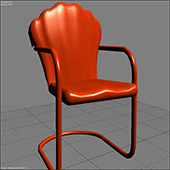
A phong-shaded plastic-style surface
lit from a directional source. Textured & untextured versions. (2
technique/s)
|
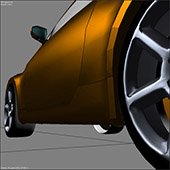
A phong-shaded metallic surface lit
from a directional source. Textured & untextured versions. (2
technique/s)
|
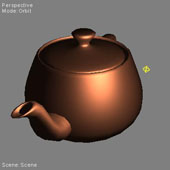
A phong-shaded metallic surface lit
from a point source. Textured, untextured, quadratic falloff or not (4
technique/s)
|
|
|
|
|
HLSL
|
CgFX
|
COLLADA
|
HLSL
|
CgFX
|
COLLADA
|
HLSL
|
CgFX
|
COLLADA
|
|
Whitepaper
|
Video
|
Download
|
Whitepaper
|
Video
|
Download
|
Whitepaper
|
Video
|
Download
|
|
|
|
plasticP
|
|
|
DebugSpaces
|
|
|
DebugTexCoords
|
|
|
|
|
|
GeForce 6
|
GeForce 6
|
GeForce 6
|
|
material classic DirectX10
textured
|
material debug virtual
machine DirectX10 textured
|
DirectX10 textured
|
|
|
|
|
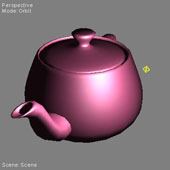
A phong-shaded plastic-style surface
lit from a point source. Textured, untextured, quadratic falloff or not (4
technique/s)
|
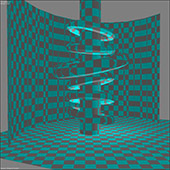
This .fx file uses 3d checker patterns
to illustrate a number of important coordinate systems and shading vectors. #define
USER_COLORS if you want to use parameters instead of the fixed macro colors. (8
technique/s)
|
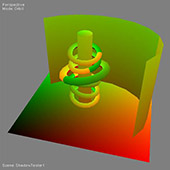
View Object's TEXCOORD
Registers (16 technique/s)
|
|
|
|
|
HLSL
|
CgFX
|
COLLADA
|
HLSL
|
CgFX
|
COLLADA
|
HLSL
|
CgFX
|
COLLADA
|
|
Whitepaper
|
Video
|
Download
|
Whitepaper
|
Video
|
Download
|
Whitepaper
|
Video
|
Download
|
|
|
|
DebugValues
|
|
|
EdgeFuzz
|
|
|
BrdfFromTextures
|
|
|
|
|
|
GeForce 4
|
GeForce 6
|
GeForce 6
|
|
material debug virtual
machine bumpmap textured
|
material organic
DirectX10
|
material brdf texture
DirectX10 textured
|
|
|
|
|
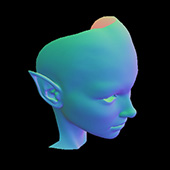
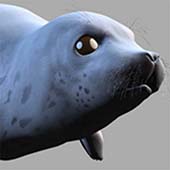
This effect file uses colors to
illustrate a number of shading vectors -- that is, values that are typically important in
shading. This effect can often help find bogus parts of models, or be used to explore the
contents of a model. (15 technique/s)
|
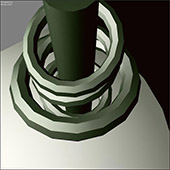
Simple edge lighting effect -- the
color of the surface shifts when viewed on-edge. Optionally, the light color can also be
effected -- the result of both is to create an illusion of the surface being covered by
some sort of smooth barely-visible fuzz. (1 technique/s)
|
Shading via multitexture. Two textures
are interpolated over the surface, and their product results in the final specular BDRF.
The initial textures supplied approximate a Cook-Torrance model using one set of possible
parameters, but different textures can be used to emulate a wide variety of isotropic BRDF
models. Try painting some of your own! (2 technique/s)
|
|
|
|
|
HLSL
|
CgFX
|
COLLADA
|
HLSL
|
CgFX
|
COLLADA
|
HLSL
|
CgFX
|
COLLADA
|
|
Whitepaper
|
Video
|
Download
|
Whitepaper
|
Video
|
Download
|
Whitepaper
|
Video
|
Download
|
|
|
|
post
scratched film
|
|
|
pre
texture
|
|
|
post
radialBlur
|
|
|
|
|
|
GeForce 6
|
GeForce 6
|
GeForce 6
|
|
image processing animation
virtual machine DirectX10 textured
|
image processing
textured
|
image processing DirectX10
textured
|
|
|
|
|
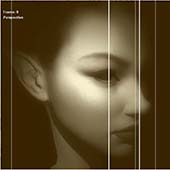
Create a scratched-movie-film look
using animated noise (1 technique/s)
|
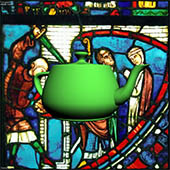
Put a simple image texture behind the
current scene (1 technique/s)
|
Radial blur effect. This version allows
you to specifiy an arbitrary number of samples.(1 technique/s)
|
|
|
|
|
HLSL
|
CgFX
|
COLLADA
|
HLSL
|
CgFX
|
COLLADA
|
HLSL
|
CgFX
|
COLLADA
|
|
Whitepaper
|
Video
|
Download
|
Whitepaper
|
Video
|
Download
|
Whitepaper
|
Video
|
Download
|
|
|
|
post RGB
from CMY
|
|
|
post RGB
to YUV
|
|
|
post RGB
to CMYK
|
|
|
|
|
|
GeForce 6
|
GeForce 6
|
GeForce 6
|
|
image processing color
conversion DirectX10 textured
|
image processing color
conversion DirectX10 textured
|
image processing color
conversion DirectX10 textured
|
|
|
|
|
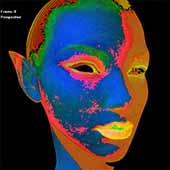
Color space conversion (1
technique/s)
|
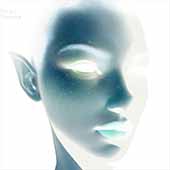
Color space conversion (1
technique/s)
|
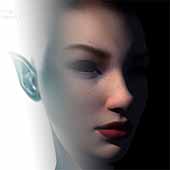
Color space conversion (1
technique/s)
|
|
|
|
|
HLSL
|
CgFX
|
COLLADA
|
HLSL
|
CgFX
|
COLLADA
|
HLSL
|
CgFX
|
COLLADA
|
|
Whitepaper
|
Video
|
Download
|
Whitepaper
|
Video
|
Download
|
Whitepaper
|
Video
|
Download
|
|
|
|
post RGB
to HSV
|
|
|
post RGB
to CMY
|
|
|
post RGB
from CMYK
|
|
|
|
|
|
GeForce 6
|
GeForce 6
|
GeForce 6
|
|
image processing color
conversion DirectX10 textured
|
image processing color
conversion DirectX10 textured
|
image processing color
conversion DirectX10 textured
|
|
|
|
|
Color space conversion (1
technique/s)
|
Color space conversion (1
technique/s)
|
Color space conversion (1
technique/s)
|
|
|
|
|
HLSL
|
CgFX
|
COLLADA
|
HLSL
|
CgFX
|
COLLADA
|
HLSL
|
CgFX
|
COLLADA
|
|
Whitepaper
|
Video
|
Download
|
Whitepaper
|
Video
|
Download
|
Whitepaper
|
Video
|
Download
|
|
|
|
post RGB
from YUV
|
|
|
velvety
|
|
|
carpaint
texColor
|
|
|
|
|
|
GeForce 6
|
GeForce 6
|
GeForce 6
|
|
image processing color
conversion DirectX10 textured
|
material organic DirectX10
textured
|
material brdf texture
DirectX10 textured
|
|
|
|
|
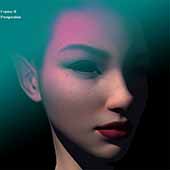
Color space conversion (1
technique/s)
|
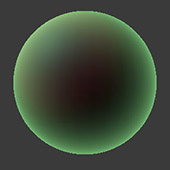
A simple combination of vertex and
pixel shaders with velvety edge effects. Great for any model that needs that "feeling of
softness." (4 technique/s)
|
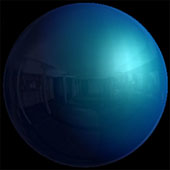
Shading via multitexture. In this case,
a texture is used to vary the underlying surface color based upon both the view angle and
the angle at which ligh strikes the surface. The initial data driving this shading model
came from Ford Motor Company, which directly measured "Mystique" and other lustrous car
paints in their lab. The associated default texture is a hand-enhanced variant on the
original Ford paint -- try painting your own! (2 technique/s)
|
|
|
|
|
HLSL
|
CgFX
|
COLLADA
|
HLSL
|
CgFX
|
COLLADA
|
HLSL
|
CgFX
|
COLLADA
|
|
Whitepaper
|
Video
|
Download
|
Whitepaper
|
Video
|
Download
|
Whitepaper
|
Video
|
Download
|
|
|
|
Grisaille
|
|
|
AnisotropicHilight
|
|
|
post
toonShadow
|
|
|
|
|
|
GeForce 6
|
GeForce 6
|
GeForce FX
|
|
material stylized DirectX10
textured
|
material virtual machine
DirectX10 textured
|
image processing
textured
|
|
|
|
|
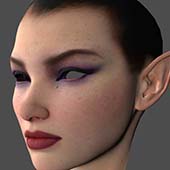
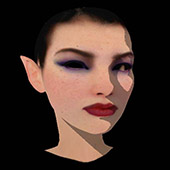
"Grisaille" is a style of drawing based
on a style of sculture relief where the figures are "flattened" against a larger flat
surface. This effect allows the user to tweak the "flatness" of the shading against the
surface of the screen, as if the 3D scene were carved in (animating) relief. (2
technique/s)
|
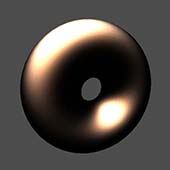
Uses a texture map as a high-speed
lookup, so that complex anisotropic highlights can be displayed in real time. This new
version of the effect generates its own anisotropy map, and is compatible with both FX
Composer and EffectEdit. (1 technique/s)
|
A sort of defered toon shading, which
renders the light-dark transition as a soft, rounded line. This technique inspired by a
method used in Studio Ghibli's "Howl's Moving Castle." Typically, you should render
objects using an un-shaded effect (that is, pure color and/or texture -- no lighting, or
lighting with a strong ambient light) (1 technique/s)
|
|
|
|
|
HLSL
|
CgFX
|
COLLADA
|
HLSL
|
CgFX
|
COLLADA
|
HLSL
|
CgFX
|
COLLADA
|
|
Whitepaper
|
Video
|
Download
|
Whitepaper
|
Video
|
Download
|
Whitepaper
|
Video
|
Download
|
|
|
|
post
corona
|
|
|
post
cameraShake
|
|
|
BumpyGlossyMetal
|
|
|
|
|
|
GeForce 6
|
GeForce 6
|
GeForce FX
|
|
image processing animation
glow virtual machine textured
|
image processing animation
vertex DirectX10 textured
|
material environment
classic bumpmap textured
|
|
|
|
|
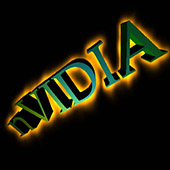
Render-to-Texture (RTT) *animated* glow
example. Blur is done in two separable passes. (1 technique/s)
|
Emulates a vibrating camera entirely
through image-processing. (1 technique/s)
|
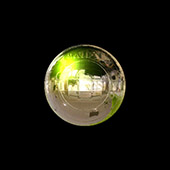
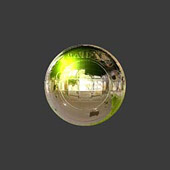
Bumpy, fresnel-shiny, METAL, textured,
with two quadratic-falloff point lights (1 technique/s)
|
|
|
|
|
HLSL
|
CgFX
|
COLLADA
|
HLSL
|
CgFX
|
COLLADA
|
HLSL
|
CgFX
|
COLLADA
|
|
Whitepaper
|
Video
|
Download
|
Whitepaper
|
Video
|
Download
|
Whitepaper
|
Video
|
Download
|
|
|
|
lambSkin
|
|
|
post
color mixer monochrome
|
|
|
post
color mixer
|
|
|
|
|
|
GeForce 6
|
GeForce 6
|
GeForce 6
|
|
material organic stylized
DirectX10 textured
|
image processing color
conversion DirectX10 textured
|
image processing DirectX10
textured
|
|
|
|
|
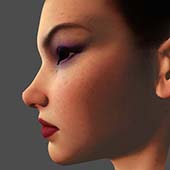
A lambertian-like surface with light
"bleed-through" -- appropriate for soft translucent materials like skin. The "subColor"
represents the tinting acquired by light diffused below the surface. Set the "Rolloff"
angle to the cosine of the angle used for additional lighting "wraparound" -- the diffuse
effect propogates based on the angle of LightDirection versus SurfaceNormal. Versions are
provided for shading in pixel or vertex shaders, textured or untextured. (4
technique/s)
|
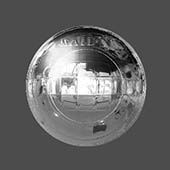
Just pass image through as monochrome
-- multiply it by the relative intensities defined by the parameters "Red," Green," and
"Blue." (1 technique/s)
|
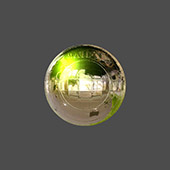
This is much like a Photoshop(tm)
"color mixer" layer -- the intensities of each input red, green, and blue channels are
graded against the colors indicated in the paramter list, then remixed.(1
technique/s)
|
|
|
|
|
HLSL
|
CgFX
|
COLLADA
|
HLSL
|
CgFX
|
COLLADA
|
HLSL
|
CgFX
|
COLLADA
|
|
Whitepaper
|
Video
|
Download
|
Whitepaper
|
Video
|
Download
|
Whitepaper
|
Video
|
Download
|
|
|
|
post
edgeDetect tuned
|
|
|
post
edgeDetect
|
|
|
post
edgeDetect 3color
|
|
|

|
|
|
GeForce 6
|
GeForce 6
|
GeForce 6
|
|
image processing DirectX10
textured
|
image processing DirectX10
textured
|
image processing DirectX10
textured
|
|
|
|
|
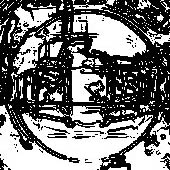
Same as "scene_edgeDetect," but with
the kernel values "hand-cooked" for efficiency (1 technique/s)
|
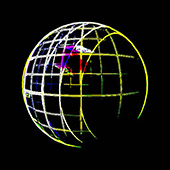
Detect image edges in the current
scene. (1 technique/s)
|
Same as "scene_edgeDetect," but with
separated R, G, and B (1 technique/s)
|
|
|
|
|
HLSL
|
CgFX
|
COLLADA
|
HLSL
|
CgFX
|
COLLADA
|
HLSL
|
CgFX
|
COLLADA
|
|
Whitepaper
|
Video
|
Download
|
Whitepaper
|
Video
|
Download
|
Whitepaper
|
Video
|
Download
|
|
|
|
post
titleOverlay
|
|
|
post
negative
|
|
|
scene
toonEdges
|
|
|
|

|
|
GeForce 6
|
GeForce 6
|
GeForce FX
|
|
image processing animation
textured
|
image processing color
conversion DirectX10 textured
|
image processing animation
bumpmap textured
|
|
|
|
|
Animatable overlay titling - uses the
ROP rather than render-to-texture (2 technique/s)
|
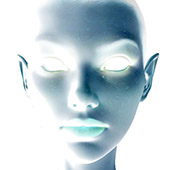
Create a negative image of the
underlying scene. Un-inverted alpha is preserved.(1 technique/s)
|
Toony stuff. Two kinds of edge
detection combined: normals and depth edge detection, resulting in clean predictable
lines. (1 technique/s)
|
|
|
|
|
HLSL
|
CgFX
|
COLLADA
|
HLSL
|
CgFX
|
COLLADA
|
HLSL
|
CgFX
|
COLLADA
|
|
Whitepaper
|
Video
|
Download
|
Whitepaper
|
Video
|
Download
|
Whitepaper
|
Video
|
Download
|
|
|
|
post
negOffset
|
|
|
subcutaneous
|
|
|
post
halftone dots
|
|
|
|
|
|
GeForce 6
|
GeForce 6
|
GeForce 6
|
|
DirectX10 textured
|
DirectX10 textured
|
image processing pattern
virtual machine DirectX10 textured
|
|
|
|
|
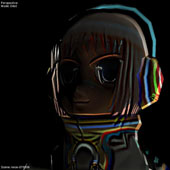
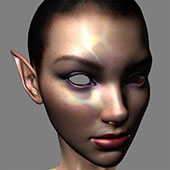
A look typical of 1960s "op-art"
optical printing. Add slight shifts to an image (1 technique/s)
|
Makes a texture appear as if its
"beheath" the surface. Useful for kinds of ceramic glazing (1
technique/s)
|
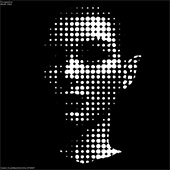
Radial-dot B&W halftones applied to
the underlying scene. The dots are pre-calculated and are fetched, according to the
desired intensity, from a small volume texture. (1 technique/s)
|
|
|
|
|
HLSL
|
CgFX
|
COLLADA
|
HLSL
|
CgFX
|
COLLADA
|
HLSL
|
CgFX
|
COLLADA
|
|
Whitepaper
|
Video
|
Download
|
Whitepaper
|
Video
|
Download
|
Whitepaper
|
Video
|
Download
|
|
|
|
vbomb
|
|
|
wood
|
|
|
post
halftone grainy
|
|
|
|
|
|
GeForce 6
|
GeForce 6
|
GeForce 6
|
|
DirectX10 textured
|
material organic pattern
virtual machine DirectX10 textured
|
image processing color
conversion DirectX10 textured
|
|
|
|
|
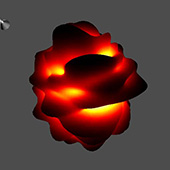
HLSL noise implementation for an
animated vertex program. This is based on Ken Perlins original code: heres (1
technique/s)
|
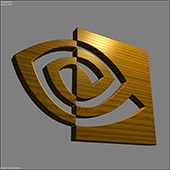
Similar to the classic "RenderMan
Companion" wood shader, though for realtime performance we use a noise texture rather than
calls to a numeric noise() function. This texture can be loaded from disk, or dynamically
created on the spot by DirectX9 using the HLSL virtual machine and setting the macro
"PROCEDURAL_TEXTURE". This new version is updated to support varying shininess for light
and dark bands in the wood. (1 technique/s)
|
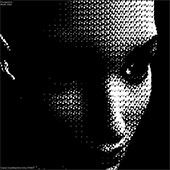
A noisy halftoning pattern, based on
noisy pre-calculated an indexed out of a 3D volume texture. (1
technique/s)
|
|
|
|
|
HLSL
|
CgFX
|
COLLADA
|
HLSL
|
CgFX
|
COLLADA
|
HLSL
|
CgFX
|
COLLADA
|
|
Whitepaper
|
Video
|
Download
|
Whitepaper
|
Video
|
Download
|
Whitepaper
|
Video
|
Download
|
|
|
|
uvDetective
|
|
|
post
halo
|
|
|
post glow
screenSize
|
|
|
|
|
|
GeForce 6
|
GeForce FX
|
GeForce FX
|
|
DirectX10 textured
|
image processing pattern
glow textured
|
image processing glow
textured
|
|
|
|
|
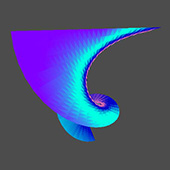
A helpful tool for artists to optimize
their texture sizes, so that textures created by artists wont be too small (looking bad)
or too big (wasting artist time on texture detail that will never be seen). HOW TO USE
UVDETECTIVE: (1) Look for regions where desired texture reso is dominant. (2) Set desired
size in the "Reso" parameter. (3) In the "TexRez" techniques (6
technique/s)
|
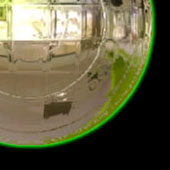
Render-to-Texture (RTT) Halo example.
Blur is done in two separable passes. (1 technique/s)
|
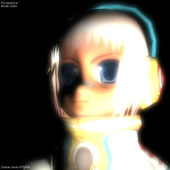
Render-to-Texture (RTT) glow example.
Blurs is done in two separable passes. (2 technique/s)
|
|
|
|
|
HLSL
|
CgFX
|
COLLADA
|
HLSL
|
CgFX
|
COLLADA
|
HLSL
|
CgFX
|
COLLADA
|
|
Whitepaper
|
Video
|
Download
|
Whitepaper
|
Video
|
Download
|
Whitepaper
|
Video
|
Download
|
|
|
|
scene
tonemap
|
|
|
pre
gradient
|
|
|
pre
cubeBg
|
|
|
|
|
|
GeForce 6
|
GeForce 6
|
GeForce 6
|
|
textured
|
image processing
textured
|
textured
|
|
|
|
|
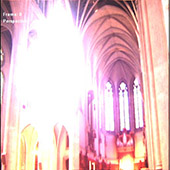
Simple tone mapping shader with
exposure and gamma controls. This is an HDR example, so it requires a GPU capable of
supporting the FP16 formats used in typical HDR formats such as OpenEXR.heres (1
technique/s)
|
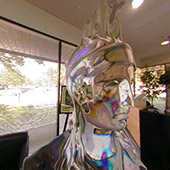
Put a color ramp behind the current
scene (1 technique/s)
|
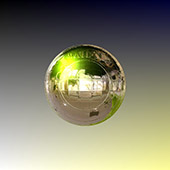
Put a 3D texture *behind* the current
scene (1 technique/s)
|
|
|
|
|
HLSL
|
CgFX
|
COLLADA
|
HLSL
|
CgFX
|
COLLADA
|
HLSL
|
CgFX
|
COLLADA
|
|
Whitepaper
|
Video
|
Download
|
Whitepaper
|
Video
|
Download
|
Whitepaper
|
Video
|
Download
|
|
|
|
pulse23b
|
|
|
pre
gradient hsv
|
|
|
pre
color
|
|

|
|
|
|
GeForce 4
|
GeForce 6
|
GeForce 4
|
|
pattern material
|
image processing
textured
|
image processing
|
|
|
|
|
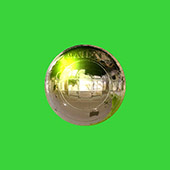
Blast from the past (Cg 1 Maya sample
shader). Analytic anti-aliasing against an arbitrary function. (1
technique/s)
|
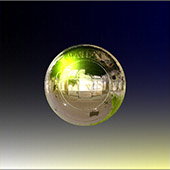
Place a gradient background into the
scene. The colors are animatable and the interpolation of the gradient occurs in HSV color
space, rather than RB, to provide more-consistent luminance changes (1
technique/s)
|
Clear screen to a flat color.
Completely shaderless! (1 technique/s)
|
|
|
|
|
HLSL
|
CgFX
|
COLLADA
|
HLSL
|
CgFX
|
COLLADA
|
HLSL
|
CgFX
|
COLLADA
|
|
Whitepaper
|
Video
|
Download
|
Whitepaper
|
Video
|
Download
|
Whitepaper
|
Video
|
Download
|
|
|
|
post
starFilter
|
|
|
post
tiles
|
|
|
post
unsharpMask
|
|

|
|
|
|
GeForce FX
|
GeForce 6
|
GeForce 6
|
|
image processing
textured
|
textured
|
image processing
textured
|
|
|
|
|
2-pass blurring directionally -- the
two passes are completely separated, resulting in a "star" pattern (1
technique/s)
|
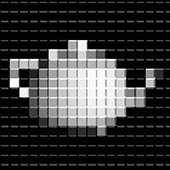
Degrade image into a set of mock
"3D-looking" tiles (1 technique/s)
|
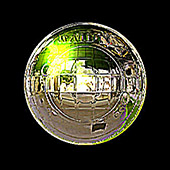
Classic Unsharp Mask
Sharpening (1 technique/s)
|
|
|
|
|
HLSL
|
CgFX
|
COLLADA
|
HLSL
|
CgFX
|
COLLADA
|
HLSL
|
CgFX
|
COLLADA
|
|
Whitepaper
|
Video
|
Download
|
Whitepaper
|
Video
|
Download
|
Whitepaper
|
Video
|
Download
|
|
|
|
post
spotlight
|
|
|
scene
seeTextureBias
|
|
|
scene
objectsAsDisplacements
|
|
|
|
|
|
GeForce FX
|
GeForce 6
|
GeForce FX
|
|
image processing bumpmap
textured
|
image processing
textured
|
image processing
textured
|
|
|
|
|
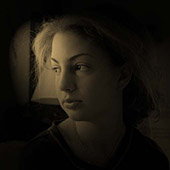
2D "lighting" effects -- with or
without bump. This is somewhat similar to the Adobe Photoshop (tm) "Lighting"
effect (2 technique/s)
|
Simple texture biasing demo/experiment,
shows whats possible with biased blurring. (1 technique/s)
|
Put a texture behind the current
scene (1 technique/s)
|
|
|
|
|
HLSL
|
CgFX
|
COLLADA
|
HLSL
|
CgFX
|
COLLADA
|
HLSL
|
CgFX
|
COLLADA
|
|
Whitepaper
|
Video
|
Download
|
Whitepaper
|
Video
|
Download
|
Whitepaper
|
Video
|
Download
|
|
|
|
post
posterize
|
|
|
post
pulsing
|
|
|
scene
lineDraw
|
|
|
|
|
|
GeForce 6
|
GeForce 6
|
GeForce 6
|
|
image processing DirectX10
textured
|
image processing animation
DirectX10 textured
|
textured
|
|
|
|
|
Reduce color space - each RGB channel
will be reduced to no more than "nColors" tones (1 technique/s)
|
Renders the scene to an offscreen
texture then re-renders it to the screen, with pulsing, changing, on-screen texture
coordinates. Clicking the mouse in the screen will also change the effect
slightly. (1 technique/s)
|
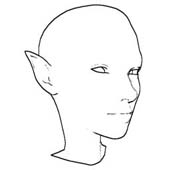
Combines two different methods of edge
detection to make a more-robust line drawing. (4 technique/s)
|
|
|
|
|
HLSL
|
CgFX
|
COLLADA
|
HLSL
|
CgFX
|
COLLADA
|
HLSL
|
CgFX
|
COLLADA
|
|
Whitepaper
|
Video
|
Download
|
Whitepaper
|
Video
|
Download
|
Whitepaper
|
Video
|
Download
|
|
|
|
post
shadow overlay
|
|
|
scene
Mandelbrot
|
|
|
scene
displaceMap
|
|
|
|
|
|
GeForce 6
|
GeForce 6
|
GeForce FX
|
|
textured
|
image processing pattern
textured
|
image processing
textured
|
|
|
|
|
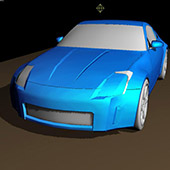
Shadow-map for all geometry thats
overlaid on white and composited. This trick provides simple shadowing across multiple
materials without editing their shaders. The downsides are incorrect shadowing of with
transparency and objects that are lit by multiple lights (1
technique/s)
|
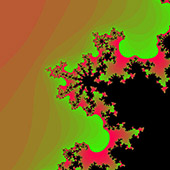
Mandelbrot set browser using PS_3
branching (1 technique/s)
|
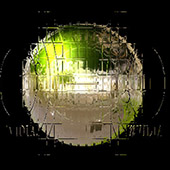
Use the indicated map to distort the
current scene. (1 technique/s)
|
|
|
|
|
HLSL
|
CgFX
|
COLLADA
|
HLSL
|
CgFX
|
COLLADA
|
HLSL
|
CgFX
|
COLLADA
|
|
Whitepaper
|
Video
|
Download
|
Whitepaper
|
Video
|
Download
|
Whitepaper
|
Video
|
Download
|
|
|
|
post
sepia
|
|
|
cage
|
|
|
checker3d
|
|
|
|
|
|
GeForce 6
|
GeForce 6
|
GeForce 6
|
|
image processing color
conversion DirectX10 textured
|
textured
|
material pattern virtual
machine DirectX10 textured
|
|
|
|
|
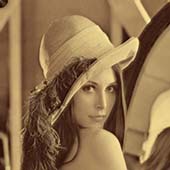
Convert the current scene to monochrome
with "sepia" toning(1 technique/s)
|
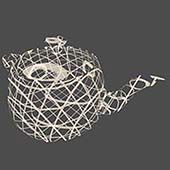
3D meshcage effect, created by
procedural texturing. Texture is pre-calculated by HLSL. Wires are aligned to world
coordinates in this sample. $Date: 2008/06/25 $(1 technique/s)
|
3D Checkerboard effect, created by
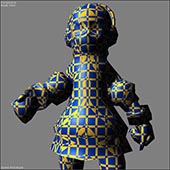
procedural texturing. Texture is pre-calculated, using the HLSL virtual machine (VM). To
see a purely analytic alternative that gives good anti-aliasing at all scales, see
"checker3d_math.fx" As an "extra," the check pattern is also applied to the specular
value, to make the variation between materials stronger.(1 technique/s)
|
|
|
|
|
HLSL
|
CgFX
|
COLLADA
|
HLSL
|
CgFX
|
COLLADA
|
HLSL
|
CgFX
|
COLLADA
|
|
Whitepaper
|
Video
|
Download
|
Whitepaper
|
Video
|
Download
|
Whitepaper
|
Video
|
Download
|
|
|
|
checker3d
math
|
|
|
blinn
|
|
|
blinn
bump reflect
|
|
|
|
|
|
GeForce 6
|
GeForce 6
|
GeForce 6
|
|
material pattern
DirectX10
|
material textured DirectX10
textured
|
material textured true true
DirectX10 textured
|
|
|
|
|
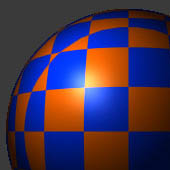
3D Checker showing anti-aliasing using
ddx/ddy. This result is PURELY numeric, so slower than using texture-based AA. It is,
however, able to anti-alias regardless of the view scale. For a fast texture-based
version, see "checker3d.fx" (1 technique/s)
|
A surface using "blinn" shading, which
is especially appropriate for some metal finishes and sometimes even for materials like
skin. (1 technique/s)
|
A surface using "blinn" shading, which
is especially appropriate for some true finishes and sometimes even for materials like
skin. (1 technique/s)
|
|
|
|
|
HLSL
|
CgFX
|
COLLADA
|
HLSL
|
CgFX
|
COLLADA
|
HLSL
|
CgFX
|
COLLADA
|
|
Whitepaper
|
Video
|
Download
|
Whitepaper
|
Video
|
Download
|
Whitepaper
|
Video
|
Download
|
|
|
|
brix
|
|
|
glossyWetHilight
|
|
|
gooch
|
|
|
|
|
|
GeForce 6
|
GeForce 6
|
GeForce 6
|
|
material pattern virtual
machine DirectX10 textured
|
material organic stylized
DirectX10 textured
|
material DirectX10
|
|
|
|
|
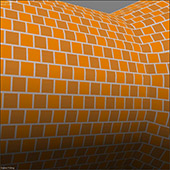
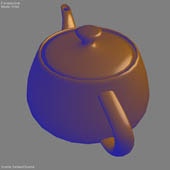
Brick pattern, with controls, using
texture-based patterning. The lighting here is PURELY lambert and from a directional
source, so it's done in the vertex shader. (1 technique/s)
|
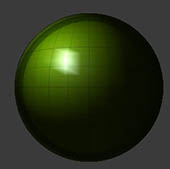
A wet-glossy surface, a little smoke
& mirrors to make things ultra-shiny. Glossiness is controlled not only by the usual
power function, but also by applying a set of gloss controls that cause a sharp falloff
across a specified range. The falloff will occur in the highlight range
[glossBot-glossTop] and the amount of falloff is specified by "glossDrop." Setting
"glossDrop" to 1.0 nullifies the effect. (2 technique/s)
|
A surface using classic "gooch"
shading, popular in CAD (1 technique/s)
|
|
|
|
|
HLSL
|
CgFX
|
COLLADA
|
HLSL
|
CgFX
|
COLLADA
|
HLSL
|
CgFX
|
COLLADA
|
|
Whitepaper
|
Video
|
Download
|
Whitepaper
|
Video
|
Download
|
Whitepaper
|
Video
|
Download
|
|
|
|
gooch
bump reflect
|
|
|
clock
|
|
|
durer
|
|
|

|
|
|
GeForce 6
|
GeForce 6
|
GeForce 6
|
|
material true true
DirectX10 textured
|
DirectX10 textured
|
DirectX10 textured
|
|
|
|
|
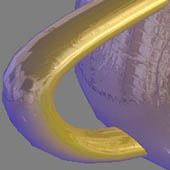
A surface using classic "gooch"
shading, popular in CAD (1 technique/s)
|
Align as a quad to screen according to
the original tex coords -- as a sprite, best applied to simple quads with 0-1 tex coords.
Then apply "Numbers.dds" as a stream of number textures to create an apparent numeric
ocunter, driven by the vertex shader.(1 technique/s)
|
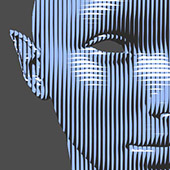
This effect is intended to look like
pen crosshatching -- it was inspired by the British Museums Durer exhibit of 2003. Some of
Durer's most famous drawings were made in two colors of ink on medium-colored paper. The
diffuse shape rendering was drawn in cross-hatches in a dark ink (2
technique/s)
|
|
|
|
|
HLSL
|
CgFX
|
COLLADA
|
HLSL
|
CgFX
|
COLLADA
|
HLSL
|
CgFX
|
COLLADA
|
|
Whitepaper
|
Video
|
Download
|
Whitepaper
|
Video
|
Download
|
Whitepaper
|
Video
|
Download
|
|
|
|
durer
math
|
|
|
ThinFilm
|
|
|
DrawSharedShadow
|
|

|
|
|
|
GeForce 4
|
GeForce 6
|
GeForce 6
|
|
pattern material
|
material virtual machine
DirectX10 textured
|
|
|
|
|
|
Emulation of Durer-style split-tone
technique. Lines are drawn in black for shadow, then light-tone opaque lines are overlaid
in a different direction for the highlights. This effect uses ANALYTICALLY ANTI-ALIASED
strokes - that is, via shader math. An alternative uses textured strokes. (4
technique/s)
|
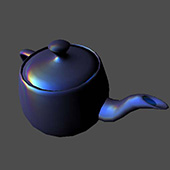
Creates the illusion that the surface
is covered with a thin film of transparent material, as in oily water, thin shellacs,
dirty layered ice, etc. (1 technique/s)
|
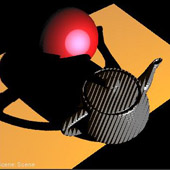
Just draw a shadow map ONLY -- dont
display or otherwise use it! This shader is intended for use with COLLADA-Cg TO USE: add
this effect in FXComposer (1 technique/s)
|
|
|
|
|
HLSL
|
CgFX
|
COLLADA
|
HLSL
|
CgFX
|
COLLADA
|
HLSL
|
CgFX
|
COLLADA
|
|
Whitepaper
|
Video
|
Download
|
Whitepaper
|
Video
|
Download
|
Whitepaper
|
Video
|
Download
|
|
|
|
EnvironmentPassThru
|
|
|
FlatTexture
|
|
|
BumpReflect
|
|
|
|
|
|
GeForce 6
|
GeForce 6
|
GeForce FX
|
|
material environment
DirectX10 textured
|
material DirectX10
textured
|
material environment
classic bumpmap textured
|
|
|
|
|
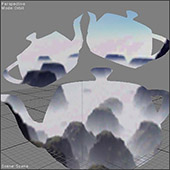
For use in backgrounds, or to cut
"holes" through other objects. The surface of any model will be replaced by the colors of
the background environment map. (1 technique/s)
|
Just Show Me The Texture - No Lighting!
Simplistic, but useful as an input render style for many scene-level render (and
defered-render) techniques. (3 technique/s)
|
Pure Bump-mapped Reflection in
DirectX9 (1 technique/s)
|
|
|
|
|
HLSL
|
CgFX
|
COLLADA
|
HLSL
|
CgFX
|
COLLADA
|
HLSL
|
CgFX
|
COLLADA
|
|
Whitepaper
|
Video
|
Download
|
Whitepaper
|
Video
|
Download
|
Whitepaper
|
Video
|
Download
|
|
|
|
BumpyGlossy
|
|
|
DepthColor
|
|
|
Nightfall
|
|
|
|
|
|
GeForce FX
|
GeForce 6
|
GeForce 6
|
|
material environment
classic bumpmap textured
|
material debug
DirectX10
|
lighting texture animation
DirectX10 textured
|
|
|
|
|
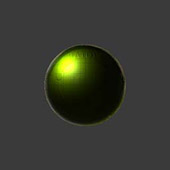
Bumpy, fresnel-shiny,
plastic/dielectric, textured, with two quadratic-falloff point lights(1
technique/s)
|
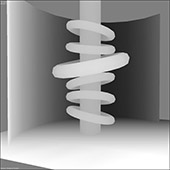
Depth as color - the values Hither' and
'Yon' (Near and Far) must be set explicitly. The result will be an image where the depth
will be coded as a blend between foreground and background colors. The "rolloff" parameter
can be used to bias values toward the front or back. (1 technique/s)
|
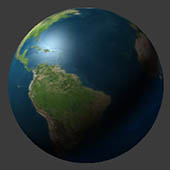
Day/Night Earth Shader -- Apply to a
Sphere! This example uses two textures for the same surface and modulates between them for
the light/dark lighting transitions, rather than ramping-off to black. (1
technique/s)
|
|
|
|
|
HLSL
|
CgFX
|
COLLADA
|
HLSL
|
CgFX
|
COLLADA
|
HLSL
|
CgFX
|
COLLADA
|
|
Whitepaper
|
Video
|
Download
|
Whitepaper
|
Video
|
Download
|
Whitepaper
|
Video
|
Download
|
|
|
|
Ocean
|
|
|
TexturePositioning
|
|
|
Graph1DTexture
|
|
|
|
|
|
GeForce 6
|
GeForce 6
|
GeForce 6
|
|
material animation
environment bumpmap DirectX10 textured
|
material DirectX10
textured
|
textured
|
|
|
|
|
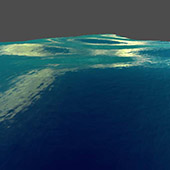
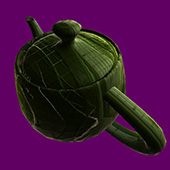
Simple ocean shader with animated bump
map and geometric waves Based partly on "Effective Water Simulation From Physical Models",
GPU Gems (1 technique/s)
|
A simple diffuse example that shows
some texture positioning capabilities. (1 technique/s)
|
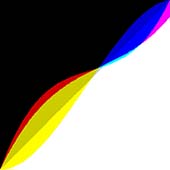
A simple way to view 1D Textures (e.g.,
color ramps) as a 2D graph This is an imaging shader, all geometry is ignored (1
technique/s)
|
|
|
|
|
HLSL
|
CgFX
|
COLLADA
|
HLSL
|
CgFX
|
COLLADA
|
HLSL
|
CgFX
|
COLLADA
|
|
Whitepaper
|
Video
|
Download
|
Whitepaper
|
Video
|
Download
|
Whitepaper
|
Video
|
Download
|
|
|
|
MrWiggle
|
|
|
NebulaLight
|
|
|
post
color matrix effects
|
|
|
|
|
|
GeForce 6
|
GeForce FX
|
GeForce 6
|
|
material animation vertex
DirectX10 textured
|
material ambient
textured
|
image processing DirectX10
textured
|
|
|
|
|
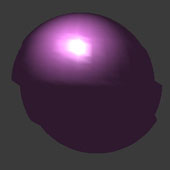
Simple sinusoidal vertex animation on a
phong-shaded plastic surface. The highlight is done in VERTEX shading -- not as a texture.
Textured/Untextured versions are supplied Do not let your kids play with this shader, you
will not get your computer back for a while. (2 technique/s)
|
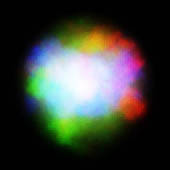
Make a 3D volume of color by
intersecting a projected rgb texture by its own alpha, where the alpha is projected at
right angles. To see the effect. move an object around in XYZ space and it will move in
and out of the "nebula" colors. (1 technique/s)
|
Simple color correction controls using
a color matrix, as seen in the NVIDIA "Toys" demo. Controls are much like those on your
TV: Brightness, Contrast, etc. See heres (1
technique/s)
|
|
|
|
|
HLSL
|
CgFX
|
COLLADA
|
HLSL
|
CgFX
|
COLLADA
|
HLSL
|
CgFX
|
COLLADA
|
|
Whitepaper
|
Video
|
Download
|
Whitepaper
|
Video
|
Download
|
Whitepaper
|
Video
|
Download
|
|
|
|
post
color spin
|
|
|
post
distort
|
|
|
post
color desaturate
|
|
|
|
|
|
GeForce 6
|
GeForce 6
|
GeForce FX
|
|
image processing DirectX10
textured
|
image processing virtual
machine DirectX10 textured
|
image processing
textured
|
|
|
|
|
Ignore selection geometry, but use its
orientation to rotate the colors of a texture mapped to a full-screen quad. In FX
Composer, assign this effect to any node, and then spin the node to rotate the color
matrix of the overall image. (1 technique/s)
|
Use a noise texture to distort the
render target, creating an appearance not unlike seeing through rippled glass (1
technique/s)
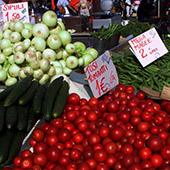
|
Desaturate the color in the current
scene (1 technique/s)
|
|
|
|
|
HLSL
|
CgFX
|
COLLADA
|
HLSL
|
CgFX
|
COLLADA
|
HLSL
|
CgFX
|
COLLADA
|
|
Whitepaper
|
Video
|
Download
|
Whitepaper
|
Video
|
Download
|
Whitepaper
|
Video
|
Download
|
|
|
|
post
color gradient
|
|
|
post
color keying
|
|
|
post
glow
|
|
|
|
|
|
GeForce FX
|
GeForce 6
|
GeForce 6
|
|
image processing virtual
machine textured
|
image processing DirectX10
textured
|
material textured
DirectX10
|
|
|
|
|
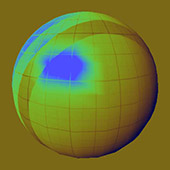
Apply grayscale values to color curve
texture -- the color ramp texture can be from read from a file or be created procedurally,
just #define CURVE_FILE to use a file. Different techniques provide gradients against each
of the R, G, B channels or against an overall grayscale. (4
technique/s)
|
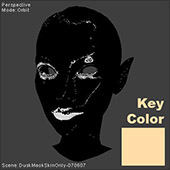
Key based on the RGB-space distance
from a specified color(1 technique/s)
|
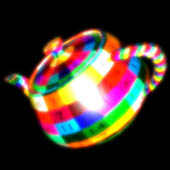
A full-screen glow effect using
multiple passes (1 technique/s)
|
|
|
|
|
HLSL
|
CgFX
|
COLLADA
|
HLSL
|
CgFX
|
COLLADA
|
HLSL
|
CgFX
|
COLLADA
|
|
Whitepaper
|
Video
|
Download
|
Whitepaper
|
Video
|
Download
|
Whitepaper
|
Video
|
Download
|
|
|
|
post glow
fixedSize
|
|
|
post glow
inset
|
|
|
post
dropShadow
|
|
|
|
|
|
GeForce FX
|
GeForce FX
|
GeForce 6
|
|
image processing
glow
|
image processing glow
textured
|
textured
|
|
|
|
|
Render-to-Texture (RTT) glow example -
glow is overlaid on top of the current scene. The render target is a fixed size. Blur is
done in two separable passes: a horizontal pass and then a vertical pass. (2
technique/s)
|
Render-to-Texture (RTT) glow example.
Blurs are done in two separable passes. (1 technique/s)
|
Full-screen render-to-texture (RTT)
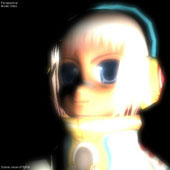
example, adding a 2D dropshadow to the (possibly 3D) scene. Blur is done in two separable
passes. (1 technique/s)
|
|
|
|
|
HLSL
|
CgFX
|
COLLADA
|
HLSL
|
CgFX
|
COLLADA
|
HLSL
|
CgFX
|
COLLADA
|
|
Whitepaper
|
Video
|
Download
|
Whitepaper
|
Video
|
Download
|
Whitepaper
|
Video
|
Download
|
|
|
|
post
frost
|
|
|
post
frost fast
|
|
|
post
color curve
|
|
|
|
|
|
GeForce 6
|
GeForce 6
|
GeForce 6
|
|
image processing virtual
machine DirectX10 textured
|
image processing virtual
machine DirectX10 textured
|
image processing virtual
machine DirectX10 textured
|
|
|
|
|
An imaging effect that looked like
viewing through ice-frosted glass. (1 technique/s)
|
Very similar to "post_frost" but faster
at the expense of some sampling choices. (1 technique/s)
|
Texture-based remap of color space.
Color ramp textures can be easily generated by Photoshop and the PS "Curves" command. The
technique is described in "GPU Gems" in the section on color control. (1
technique/s)
|
|
|
|
|
HLSL
|
CgFX
|
COLLADA
|
HLSL
|
CgFX
|
COLLADA
|
HLSL
|
CgFX
|
COLLADA
|
|
Whitepaper
|
Video
|
Download
|
Whitepaper
|
Video
|
Download
|
Whitepaper
|
Video
|
Download
|
|
|
|
goochyPt
|
|
|
goochy
gloss
|
|
|
metalPQ
|
|
|
|
|
|
GeForce 4
|
GeForce 4
|
GeForce 4
|
|
classic material
|
classic material
textured
|
classic material
textured
|
|
|
|
|
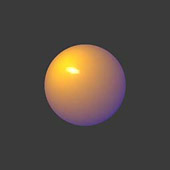
Gooch style diffuse texturing,
per-vertex, based on a point light source See "goochy_gloss" for a pixel-shaded
alternative. Gooch shading ranges from a warm tone near the light direction to a cool tone
on the opposite side of a model. While non-photorealistic, this approach is useful for
revealing overall shape of a form, especially when modelling. (1
technique/s)
|
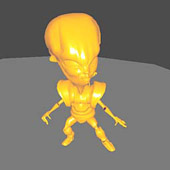
Gooch style diffuse shading, calculated
PER-PIXEL against a directional light source, and with optional texture-mapping. This
version also contains a glossy hilight with threshholding to create a strong impression of
surface smoothness. Gooch shading ranges from a warm tone near the light direction to a
cool tone on the opposite side of a model. While non-photorealistic, this approach is
useful for revealing overall shape of a form, especially when modelling. (2
technique/s)
|
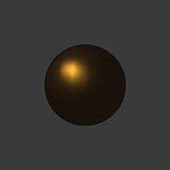
Simple Point-lit Plastic using the
(Phong) "lit()" function and with quadratic light falloff. This shader can be used for
most any clean, simple, NON-METALLIC surface. Three techniques are shown: Two pixel-shaded
versions, with or without a texture, or a lower-quality vertex-shaded version with a
texture. (3 technique/s)
|
|
|
|
|
HLSL
|
CgFX
|
COLLADA
|
HLSL
|
CgFX
|
COLLADA
|
HLSL
|
CgFX
|
COLLADA
|
|
Whitepaper
|
Video
|
Download
|
Whitepaper
|
Video
|
Download
|
Whitepaper
|
Video
|
Download
|
|
|
|
gooch
slicer
|
|
|
goochy
|
|
|
goochyDir
|
|
|
|
|
|
GeForce 6
|
GeForce 6
|
GeForce 4
|
|
DirectX10
|
material stylized classic
DirectX10 textured
|
classic material
|
|
|
|
|
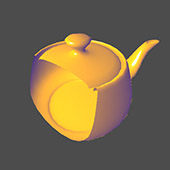
Slice an object along any arbitrary
plane. Gooch shading -- but the SLICE portion is important here. Slicing is across the Z
axis of an attachable (spot)light xform. (1 technique/s)
|
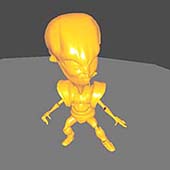
Gooch shading w/glossy hilight in HLSL
ps_2 pixel shader. Textured and non-textued versions are supplied.(2
technique/s)
|
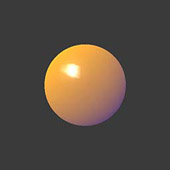
Gooch style diffuse shading, calculated
per-vertex against a directional light source. See "goochy_gloss" for a pixel-shaded
alternative. Gooch shading ranges from a warm tone near the light direction to a cool tone
on the opposite side of a model. While non-photorealistic, this approach is useful for
revealing overall shape of a form, especially when modelling. (1
technique/s)
|
|
|
|
|
HLSL
|
CgFX
|
COLLADA
|
HLSL
|
CgFX
|
COLLADA
|
HLSL
|
CgFX
|
COLLADA
|
|
Whitepaper
|
Video
|
Download
|
Whitepaper
|
Video
|
Download
|
Whitepaper
|
Video
|
Download
|
|
|
|
post
badPrinting
|
|
|
post
bleach bypass
|
|
|
post
blendOverlay
|
|
|
|
|
|
GeForce 6
|
GeForce 6
|
GeForce 6
|
|
image processing
textured
|
image processing DirectX10
textured
|
image processing virtual
machine textured
|
|
|
|
|
Emulates CMYK printing -- where the
print passes are misaligned!!! Note that you might not see much effect on any channel
except K' if you apply this effect to a gray object(1 technique/s)
|
An image effect that's intended to look
like the movie-film printing effect called "bleach bypass," where a normal step of
processing is skipped to cause unique color- and contrast effects. The "Blend Opacity"
slider lets you dial-in the strength of this effect. (1 technique/s)
|
Typical set of blend modes -- overlay a
file texture. By setting the appropriate #define values and recompiling, these shaders
also support "Advanced" blend modes like those found in the layers of Adobe Photoshop
(TM). Advanced "blend" ranges are available, based on VM-generated textures. For best
results,use a card capable of FP-pixel texture support. (38
technique/s)
|
|
|
|
|
HLSL
|
CgFX
|
COLLADA
|
HLSL
|
CgFX
|
COLLADA
|
HLSL
|
CgFX
|
COLLADA
|
|
Whitepaper
|
Video
|
Download
|
Whitepaper
|
Video
|
Download
|
Whitepaper
|
Video
|
Download
|
|
|
|
phong
|
|
|
phong
bump reflect
|
|
|
plasticPQ
|
|
|
|
|
|
GeForce 6
|
GeForce 6
|
GeForce 4
|
|
material textured DirectX10
textured
|
material textured true true
DirectX10 textured
|
classic material
textured
|
|
|
|
|
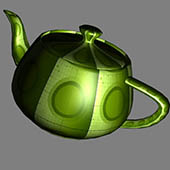
A surface using classic "phong"
shading, i.e., the lit() function(1 technique/s)
|
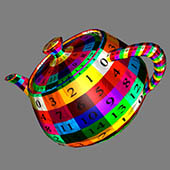
A surface using classic "phong"
shading, i.e., the lit() function (1 technique/s)
|
Simple Point-lit Plastic using the
(Phong) "lit()" function and with quadratic light falloff. This shader can be used for
most any clean, simple, NON-METALLIC surface. Three techniques are shown: Two pixel-shaded
versions, with or without a texture, or a lower-quality vertex-shaded version with a
texture. (3 technique/s)
|
|
|
|
|
HLSL
|
CgFX
|
COLLADA
|
HLSL
|
CgFX
|
COLLADA
|
HLSL
|
CgFX
|
COLLADA
|
|
Whitepaper
|
Video
|
Download
|
Whitepaper
|
Video
|
Download
|
Whitepaper
|
Video
|
Download
|
|